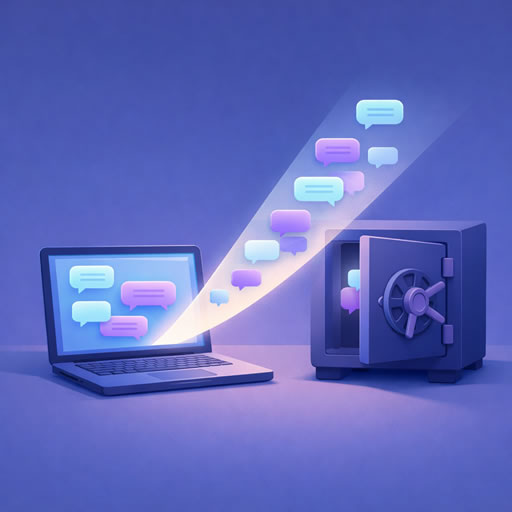
Why Backing Up Your AI Conversations Matters
Most people don't think about backing up their AI conversation history until something goes wrong. An account gets locked. A platform changes its retention policy. A conversation you needed last week has disappeared. By then it's too late.
If you use ChatGPT or Claude regularly for work, research, creative projects, or problem-solving, that conversation history has real value. Treating it like any other important data — something worth backing up deliberately and periodically — is a small habit that can save a lot of frustration.
What Could Go Wrong Without a Backup
It's worth being specific about the risks, because they're more varied than most people assume:
- Account loss — accounts can be suspended, compromised, or accidentally deleted
- Platform changes — AI platforms are evolving rapidly; retention policies, storage limits, and even the platforms themselves may change
- Accidental deletion — it's easy to delete a conversation by mistake with no way to recover it
- Subscription lapses — some platforms limit history access on free tiers or after a subscription ends
- Interface limitations — even with your account intact, finding something specific in months of conversation history can be practically impossible without proper tools
How to Export Your ChatGPT History
- Go to chatgpt.com and click your profile icon
- Select Settings → Data Controls → Export data
- Confirm the request — OpenAI will email you a download link within a few minutes
- Download the ZIP file and save it somewhere safe
The ZIP contains your full conversation history as a JSON file, any DALL-E images you've generated, and some additional account metadata. For a detailed breakdown of what's inside, see our guide What's Actually Inside a ChatGPT Export ZIP File.
How to Export Your Claude History
- Go to claude.ai and open Settings
- Navigate to the Account tab
- Click Export Data — Anthropic will email you a download link
- Download the ZIP file and save it somewhere safe
Claude's export is leaner than ChatGPT's — primarily your conversation history in JSON format without additional media folders. It's smaller and simpler, but contains everything you need.
Where to Store Your Backup
Downloading the ZIP is only half the job — where you store it matters. A few sensible options:
- Cloud storage — Google Drive, Dropbox, or iCloud give you off-device redundancy and easy access from anywhere. A dedicated folder labelled clearly with the date makes it easy to manage multiple exports over time
- External hard drive — a local backup that doesn't depend on a third-party service staying available
- Both — the classic 3-2-1 backup principle (three copies, two different media, one offsite) applies here just as it does for any other important data
Whatever you choose, name the files clearly — something like chatgpt-export-2026-03.zip makes it obvious what you're looking at six months later.
How Often Should You Export
There's no single right answer, but a useful rule of thumb is to export as often as you'd be upset about losing. For most regular users, that means:
- Monthly — a sensible default for anyone using ChatGPT or Claude regularly for work
- After major projects — if you've just finished a significant piece of work with AI assistance, export immediately rather than waiting for your next scheduled backup
- Before cancelling a subscription — always export before downgrading or cancelling, in case access to history changes
Both platforms let you re-export as often as you like, and tools like Export Reader automatically skip duplicate conversations when you upload a newer export — so there's no penalty for exporting frequently.
Making Your Backup Searchable
A ZIP file sitting in a folder is a backup, but it's not particularly useful day-to-day. The raw JSON inside isn't easy to read, and searching through it manually is impractical for anything beyond the smallest exports.
Loading your export into Export Reader turns your backup into a searchable, organised archive. Upload the ZIP — no extraction needed — and your entire conversation history becomes full-text searchable, filterable by topic and date, and browsable in a clean interface. Key features that make this worthwhile:
- Full-text search across every message in every conversation
- Keyword highlighting so matches appear in context
- AI-powered tagging and summaries via the AI Arranger
- Snippets — save useful messages, code blocks, or text selections for quick access later
- Both ChatGPT and Claude exports supported, so everything lives in one place
Your data is encrypted and never used for AI training — Export Reader is a viewer tool, not an AI platform.
A Simple Backup Routine
Putting this all together, a practical routine looks like this:
- On the first of each month, request exports from whichever platforms you use
- Download the ZIPs when the emails arrive and save them to your cloud storage folder with dated filenames
- Upload the new ZIPs to Export Reader — duplicates are skipped automatically, so your archive simply grows
- Keep the raw ZIPs as your offline backup regardless
The whole process takes about five minutes once you have a system in place.
Conclusion
Your AI conversation history is more valuable than it probably seems in the moment. Code that worked, plans that came together, research that took time to develop — it's all in there, and losing access to it is easily avoidable. Exporting regularly, storing copies somewhere reliable, and loading them into a searchable tool costs very little time and pays off the first time you need to find something that would otherwise be gone.